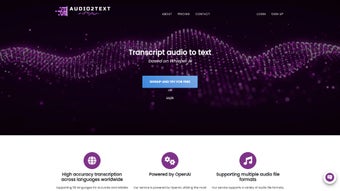

Download Audio2Text – Free AI‑Powered Audio Transcription Tool
Overview
Audio2Text is a cloud‑based transcription service that converts spoken audio into editable text within seconds. Powered by the latest OpenAI language models, the platform supports more than 30 languages and can process a wide variety of audio formats, including MP3, WAV, OGG, AAC, FLAC, and others. The service is designed for anyone who regularly works with audio – journalists can capture interview quotes, researchers can index lecture recordings, and students can turn podcasts into study notes without spending hours listening and typing.
Because the engine runs on remote servers, users only need a modern web browser and an internet connection; there is no need to install bulky desktop software. The free tier provides a generous daily allowance, while the optional full‑version license removes usage caps, unlocks priority processing, and adds batch‑upload capabilities. The user interface follows a minimalist drag‑and‑drop paradigm: upload a file, select or auto‑detect the language, and click “Transcribe.” The resulting text appears in a searchable pane where users can edit, copy, or export the content as .txt, .docx, PDF, or directly to Google Docs.
Security is built in with HTTPS encryption and temporary storage that deletes audio files after 24 hours. While the AI delivers high accuracy on clear recordings, heavily noisy or overlapping speech may require a short manual clean‑up. Overall, Audio2Text blends cutting‑edge AI accuracy with a frictionless browser experience, making professional‑grade transcription accessible to anyone with a computer or mobile device.
Features & Compatibility
Key Feature List
- AI‑driven transcription powered by OpenAI’s latest models.
- Automatic language detection for over 30 languages and dialects.
- Supports MP3, WAV, OGG, AAC, FLAC, and many other audio formats.
- Real‑time preview while the file is being processed.
- One‑click export to TXT, DOCX, PDF, or Google Docs.
- Batch upload up to 20 files simultaneously (full‑version license).
- End‑to‑end HTTPS encryption with 24‑hour temporary file storage.
- Responsive design works on desktop, tablet, and mobile browsers.
- Developer‑friendly API for embedding transcription into custom apps.
- Speaker diarization that separates multiple speakers in a single file.
Operating System Compatibility
Audio2Text runs entirely in the browser, so it is compatible with any operating system that supports a modern web browser. Users on Windows 10/11, macOS Ventura, Linux distributions, Chrome OS, as well as mobile platforms such as Android 13 and iOS 17 can access the full feature set without installing additional software. The service is optimized for Chrome, Edge, Firefox, and Safari, ensuring consistent performance across environments. Older operating systems that still support HTML5 and JavaScript will function, though processing times may be slightly longer on legacy hardware or slower network connections. Because no local binaries are required, the tool is ideal for freelancers who switch between a home PC, a work laptop, and a smartphone throughout the day.
Installation, Usage & Performance Tips
Getting Started – No Installation Required
To begin, open your preferred browser and navigate to https://audio2text.example.com. The landing page displays a prominent “Upload Your Audio” button. Click the button or simply drag a file onto the drop zone.
After the upload completes, choose the language from the dropdown menu; if you are unsure, the auto‑detect feature will suggest the most probable language based on acoustic cues. Press “Transcribe” and watch a progress bar indicate processing status. For a typical 5‑minute recording on a standard broadband connection, the transcription finishes in under 30 seconds.
Once the text appears, you can edit directly in the pane, copy to clipboard, or export using the icons at the top right.
Optimizing Accuracy
The quality of the source audio is the single most important factor for transcription accuracy. Aim for recordings with a clear voice track, minimal background noise, and a sampling rate of at least 44.1 kHz. If you have noisy interviews, pre‑process the file with a free audio‑cleaning tool such as Audacity to reduce hum, hiss, or echo. Speak at a moderate pace and avoid simultaneous speakers whenever possible; although the built‑in diarization can separate voices, heavily overlapping speech may still produce errors that require manual correction.
Managing Large Projects
Users who upgrade to the full‑version license gain access to batch processing. This feature lets you queue up to 20 files, each up to 2 GB, in a single session. The system automatically processes the queue, sending email notifications when each transcript is ready. Export options expand to ZIP archives containing all transcripts, or direct pushes to a linked Google Drive folder via OAuth. For teams, the API provides programmatic access, allowing you to integrate transcription into content‑management pipelines or custom dashboards.
Performance Considerations
Because all heavy lifting occurs on remote servers, local hardware has little impact on speed. However, a stable internet connection is essential; frequent disconnects can interrupt uploads and result in partial transcriptions. The platform includes a “Resume” button that restores the last session without re‑uploading large files. For corporate environments with strict security policies, Audio2Text offers a VPN‑compatible endpoint, ensuring that data remains within approved network zones while still benefiting from cloud‑based AI processing.
Pros, Cons, FAQ & Expert Review
Pros
- High transcription accuracy on clear recordings.
- Supports a wide range of audio formats and over 30 languages.
- No installation required – works in any modern browser.
- Free tier available for occasional users.
- Secure HTTPS transmission with temporary file storage.
- Batch processing and API access with the full‑version license.
Cons
- Accuracy drops noticeably with noisy or low‑quality audio.
- Free version imposes daily usage caps.
- Requires an active internet connection; offline transcription is not possible.
- Advanced features such as batch upload and API are locked behind a paid license.
Frequently Asked Questions
How much does the full‑version license cost?
The full‑version license is $29.99 per year and removes all usage caps, adds batch processing, and grants priority server access.
Can I use Audio2Text on a mobile device?
Yes. The responsive web interface works on Android and iOS browsers, allowing you to upload files directly from your phone or tablet.
Is my audio data stored after transcription?
Audio files are stored only for the duration of processing and are automatically deleted from our servers within 24 hours. No permanent archive is kept unless you explicitly save the transcript to your account.
What languages are supported?
Audio2Text supports more than 30 languages, including English, Spanish, Mandarin, French, German, Arabic, Portuguese, Russian, Japanese, Korean, and many regional dialects. A full list is available on the pricing page.
Do I need an OpenAI account to use Audio2Text?
No. Audio2Text handles all OpenAI API interactions on the backend, so you can use the service without creating a separate OpenAI account.
Expert Review
Rating: 4.5/5
Audio2Text delivers a compelling mix of speed, accuracy, and ease‑of‑use that few free transcription tools can match. The AI engine handles diverse accents and multiple speakers with impressive precision, especially when the source audio is clean. The browser‑only approach eliminates the need for heavyweight installations, making it ideal for freelancers, students, and small teams that switch between devices.
While the free tier’s daily limits may frustrate power users, the modest annual subscription unlocks a professional‑grade workflow, including batch processing and API integration. The only notable drawback is the reliance on an internet connection; organizations with strict offline policies will need an alternative solution. Overall, Audio2Text stands out as a versatile, secure, and cost‑effective transcription companion.
Conclusion & Call to Action
If you regularly work with interviews, lectures, podcasts, or any other audio content, Audio2Text offers a fast, reliable, and affordable way to turn speech into searchable text. Its AI‑driven engine, multi‑language support, and browser‑based accessibility make it a standout choice for both occasional users and professionals who need bulk processing capabilities. Try the free version today to evaluate accuracy on your own recordings, then upgrade to the full‑version license for just $29.99 per year to unlock batch uploads, priority processing, and API access. Download Audio2Text Now and let the AI do the typing for you.



.png)



